Create a connection
0 min
A connection is a pipeline between Warehouse-Native Analytics and your data warehouse. This lets Analytics issue queries directly to your data warehouse. After creating an applicationcreating an application, you must create a connection to your data warehouse.
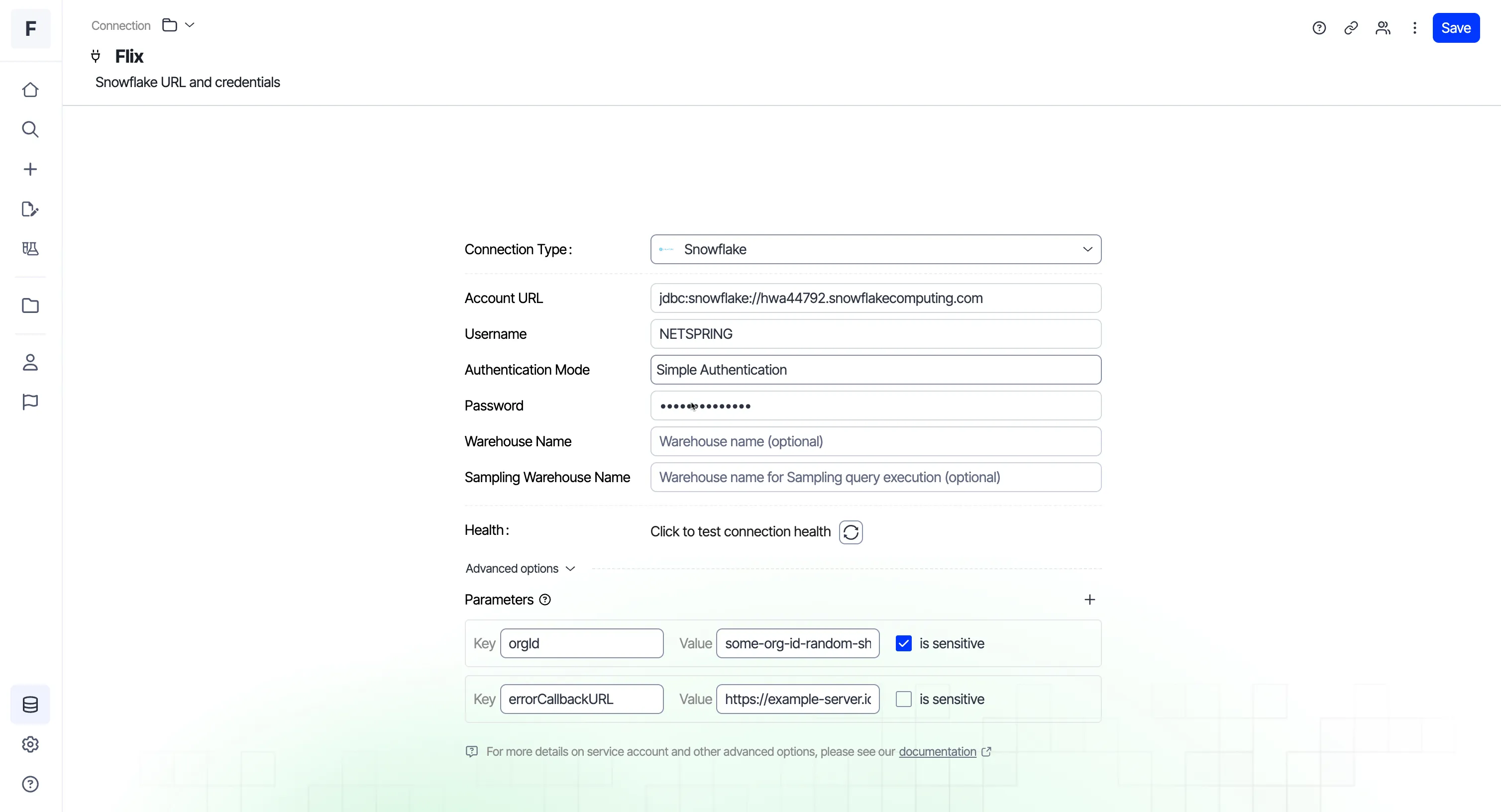
- Click Data > Connection > New Connection on the navigation panel. There are four options to choose from: SnowflakeSnowflake, BigQueryBigQuery, Amazon RedshiftAmazon Redshift, and DatabricksDatabricks.
- Enter the required fields and configure the warehouse.
- Test the connection health.
- Use the Advanced options section to add any non-essential or custom properties beyond the main configuration parameters. Click the + icon under Parameters to add them as key-value pairs.
- Click Save.
Read about getting started with Optimizely Analytics in the Quick Start GuideQuick Start Guide.