Create a variant type
1 min
You can create a variant type that can be used by many products.
- Click Create on the Variant Type List page.
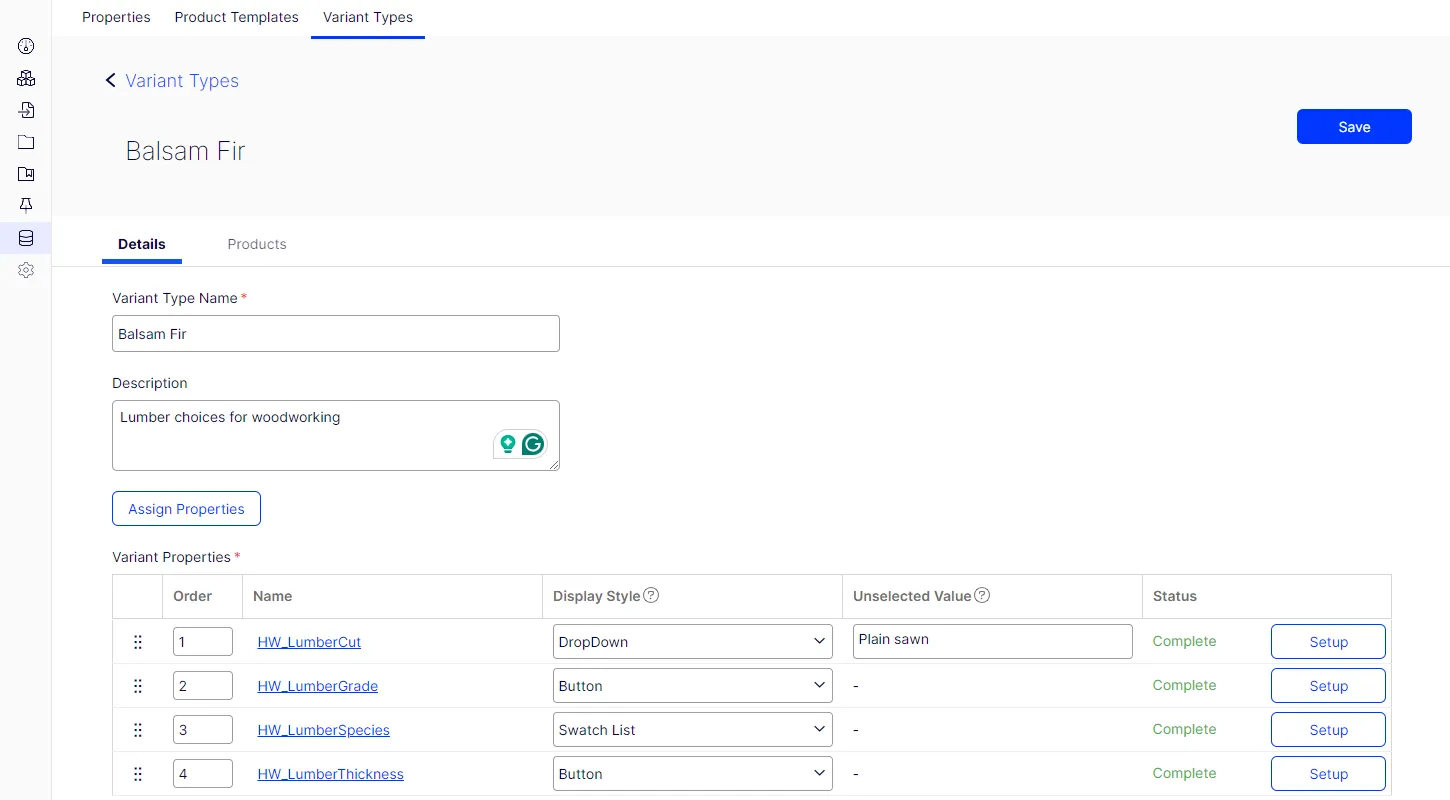
- Enter a Variant Type Name of up to 100 characters.
- Optionally, enter a Description of up to 1000 characters.
- Click Assign Properties.
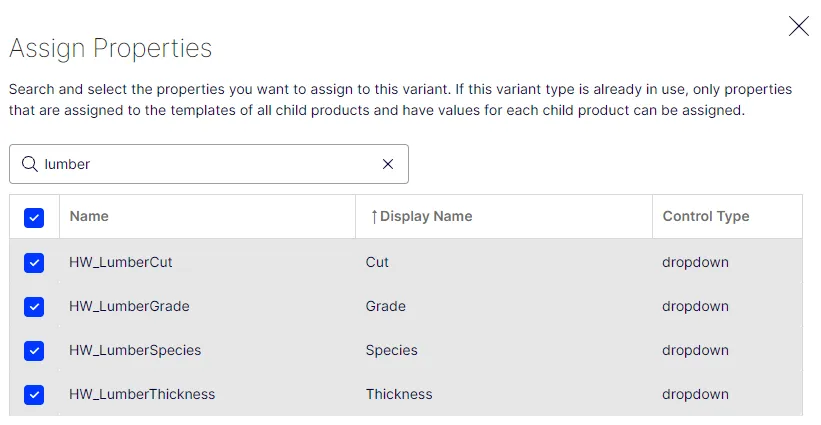
- Search or select the properties to assign to this variant. You can sort the table by Name, Display Name, or Control Type to select the properties.
- Click Assign after selecting the properties.
- Click Save.